

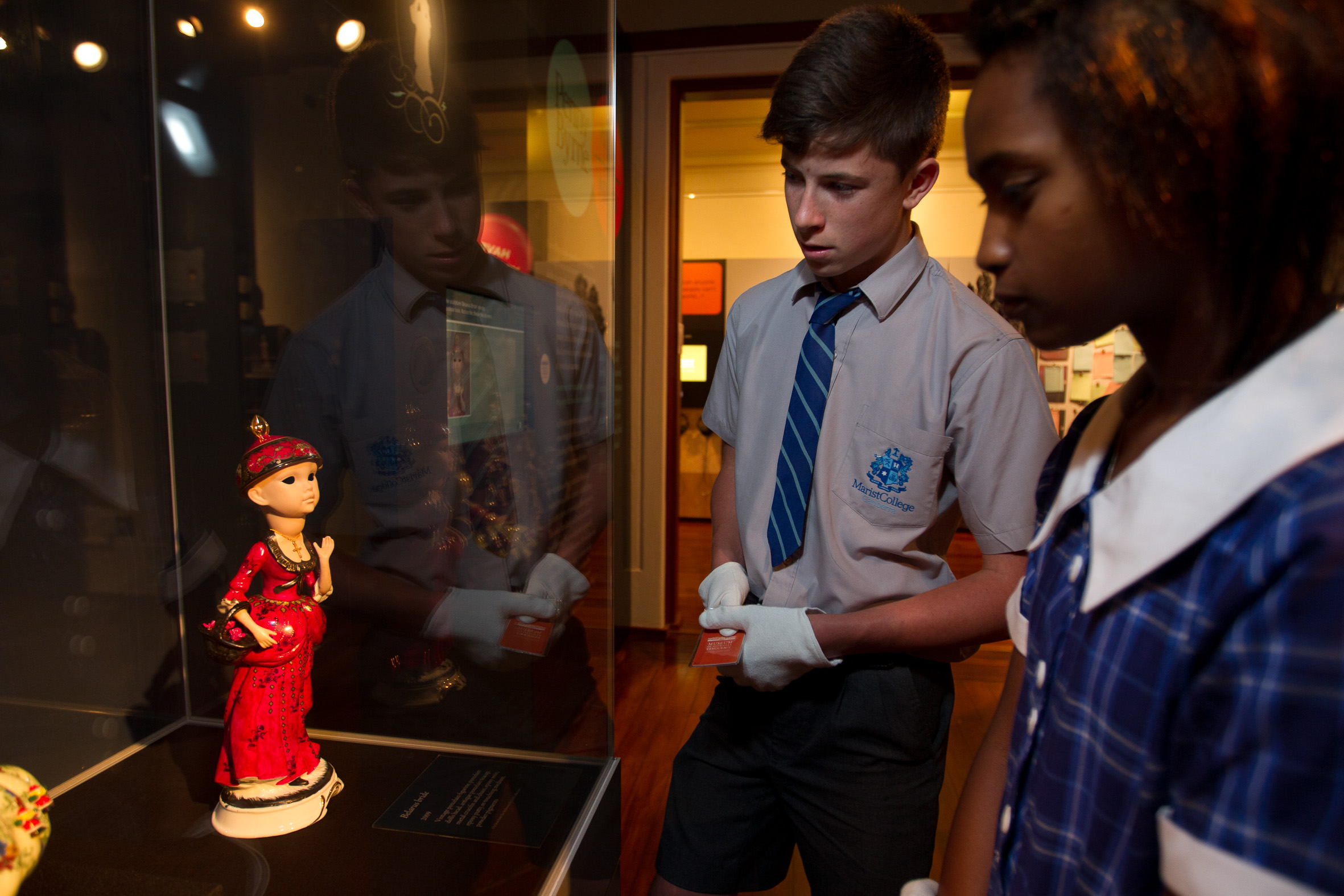
TRAIL is a smart-card based system specifically designed to get students looking, thinking, and talking about a museum's stories, images, and artifacts.
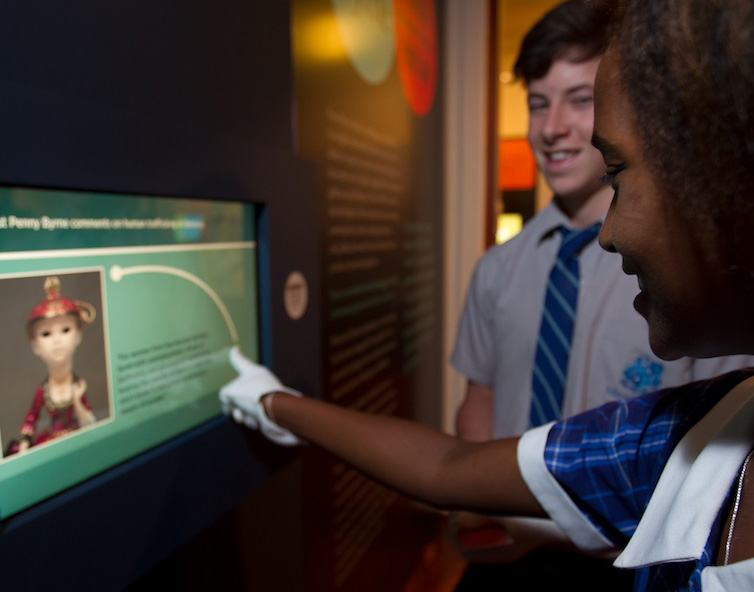
Using RFID enabled smart-cards, TRAIL is a modern, touchscreen alternative to the traditional worksheet-based approach to museum learning. With minimal instruction, students embark on unique learning trails designed to increase engagement with a museum’s material culture.
Working either individually or in small groups, TRAIL enables students to explore museum exhibitions freely and at their own pace — engaging with location-specific interactive activities that encourage observation, discussion and comparison with the opinions of their peers. This Muse award-winning platform is a stress-tested solution, with the proven ability to support over 70,000 school visitors annually.
How Does it Work?
TRAIL’s success is rooted in its ability to manage the logistics of large numbers of students moving around an exhibition space. Once students are issued an RFID card, they are directed to “start at a free station of their choosing”. TRAIL then delivers simple, location-specific activities (like matching games, ‘go and sees’ and opinion polls) that inspire the students to engage with the museum’s stories, images, and artifacts. TRAIL keeps track of where each team has visited and finds free stations as they become available. The system also chooses and reserves new destination screens, provides dynamic ‘heads up’ maps to the next destination, and generally ensures that students move around without encountering any bottlenecks. All of this happens asynchronously — teams proceed at their own pace rather than moving in forced lock-step with one another.
Customizing Trail
TRAIL can be customized to meet the unique needs of every installation. We provide a full solution, including:
- hardware including branded RFID readers and cards
- core TRAIL and content authoring software
- graphic branding to match the exhibition aesthetic
- comprehensive training for educators, docents and institution IT
- and unrivalled customer support and ongoing maintenance.
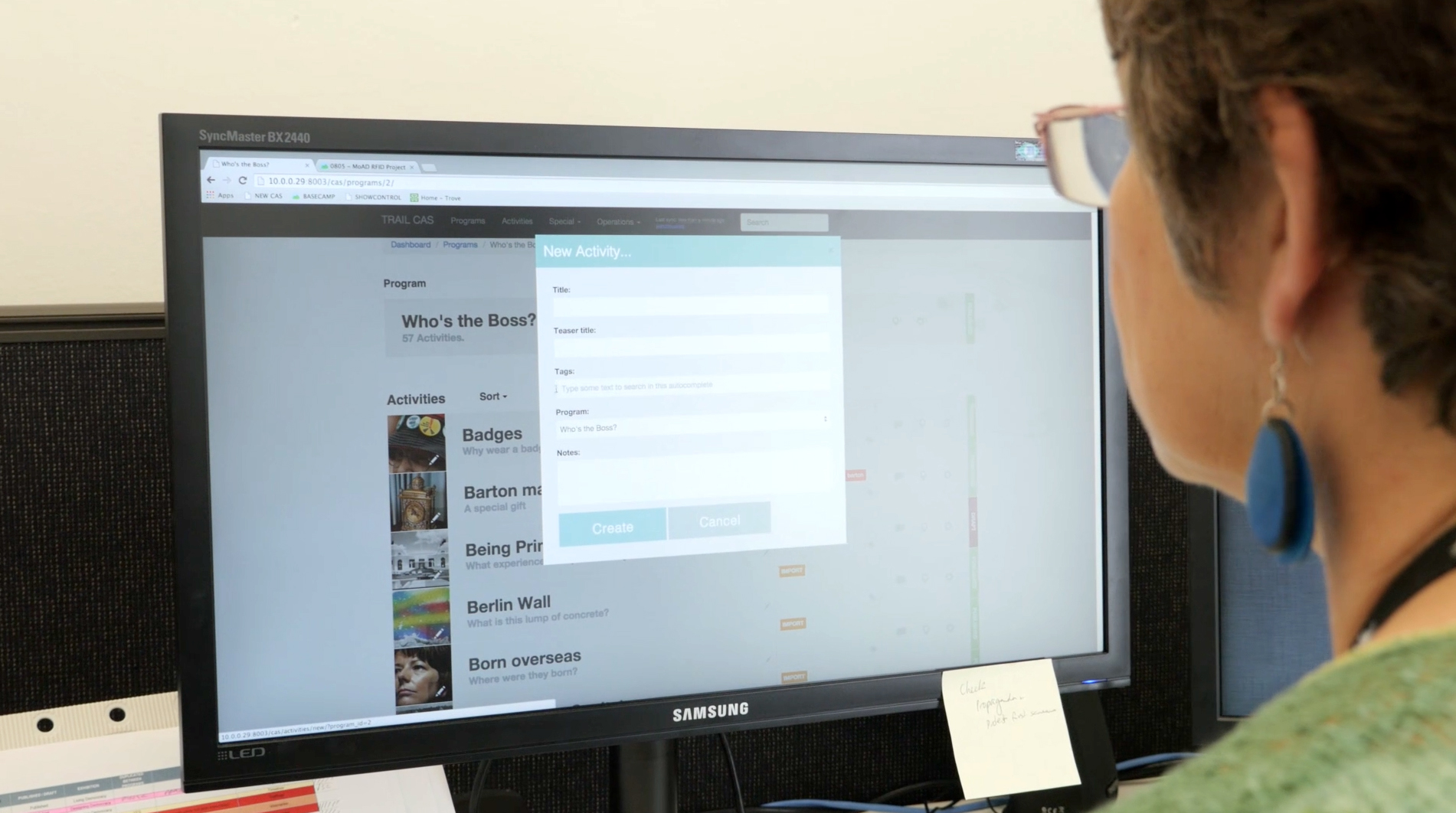
All on-screen content is under the control of museum educators. TRAIL’s content authoring system lets educators assemble activities from a palette of interaction templates, populating these with text, imagery and references to nearby museum stories and objects. The ability to author content in-house allows museums to tailor programs to suit different age groups, abilities, and interests. For example, different programs for primary and secondary school visitors. Or a one-off program that ties in with a special event or anniversary.
FAQ
How many screens does TRAIL require?
TRAIL can operate successfully on a handful of screens in a small exhibition, or scale to run on 100+ screens spread strategically throughout an entire museum. As a rough guide, we recommend placing screens within a 10 foot (6 meter) radius of the physical stories and artifacts with which visitors will engage. Proximity to material culture aside, more screens allow more visitors to use TRAIL simultaneously.
What if I want to change the content of an activity?
TRAIL’S BUILDER allows instant changes to the content of an activity, while controlling which activities are “on-line” and which are still under development. This allows authors to try out new activities privately before presenting them to students.
Can I use this system outside?
As long as the touchscreen stations are appropriately weather-proofed, have power and a reliable network connection, there’s no limitation to the places TRAIL can be deployed.
Can TRAIL be produced in a language other than English?
All the text appearing in TRAIL is directly editable through BUILDER, meaning content can be authored in any language.
Can TRAIL work with our existing touchscreen infrastructure?
Possibly. For new installations, EDM recommends the use of Apple Mac minis for the actual kiosks. We believe that the Mac mini offers the best client value in terms of robustness and ease of remote support. That said, we do offer a Windows version of TRAIL.
You mention smart cards. Can TRAIL also work with our existing barcode tickets?
Most certainly, yes. While we prefer radio-frequency identification (RFID) cards and readers, TRAIL can work with printed barcodes and barcode scanners.
Does TRAIL work wirelessly?
For maximum reliability, we recommend TRAIL use hardwired ethernet connections to each station. That said, a Wifi-enabled version could be configured if the installation demands.
Does TRAIL work with mobile phones or other hand-held devices?
By design, no. The logistical issues of managing hand-helds aside, EDM feels quite strongly that students should be unencumbered as they move around an exhibition. We prefer that students have their attention on the exhibition itself rather than walking around with heads bowed, staring at a small screen. Central to TRAIL’s success is the sense of accomplishment that students experience when, holding nothing more than a smart card, they leave one area of an exhibit and successfully navigate to a waiting screen elsewhere.
Our visiting teachers like to take information back to the classroom with them. How can TRAIL help us with that?
TRAIL’s backend server records every station a team has visited, every question a team has answered, comparisons with other teams, and more. All of this information can be assembled into a PDF takeaway that students and teachers can download from the museum’s own website.
How much do the RFID cards cost?
Custom-branded and placed into plastic sleeves with wrist lanyards, each card costs a few dollars. It is important to note that cards and lanyards are not a ‘single use‘ consumable. TRAIL’s team-based design encourages the return of cards at the end of a program. Our experience is that cards do not ‘disappear’ with any frequency.
How much does TRAIL cost?
The cost of the installed system depends heavily on the number of desired screens and associated readers, the degree of software customization required, and other factors such as content development needs, operational staff and curator-training requirements, web-site integration, etc. As a point of reference, a minimal TRAIL installation is US $100k plus a $10k annual service agreement. This is commensurate with the scope of the experience and reflects the amount of effort that EDM dedicates to each installation.
What happens if an activity stops working while a school group is using the system?
TRAIL was designed with such contingencies in mind. Touch-screens, computers, and RFID readers can and do occasionally fail. Even the best-engineered software programs occasionally crash. TRAIL, however, has a built-in feature that allows a museum educator to quickly and easily relocate an existing team from one (presumably problematic) station to another free one.
Will TRAIL create additional work for our floor and program staff?
TRAIL was specifically designed to lessen the work load for your institution’s staff. Key stakeholders provided over a hundred “user stories” that informed the system’s design – all with the express aim of solving real-world operational issues. TRAIL handles the logistics of delivering a program, leaving your staff free to engage with students on issues of educational importance. Our experience is that even (self-admittedly) technophobic educators quickly realize that TRAIL is an easy-to-use tool for engaging students with physical content.
The system sounds complicated. What kind of burden will TRAIL place on our IT support staff?
Little to none. As long as your institution has a decent internet connection, EDM handles all software support remotely as part of the annual service agreement. For hardware issues, EDM typically contracts a mutually-acceptable local A/V company to fix the occasional isolated problem with smart card readers.
For more information about TRAIL, Please contact us.