

CAROUSEL is EDM’s customizable touchscreen kiosk software for engaging visitors with curated stories, images, video, and text in a self-guided museum format.
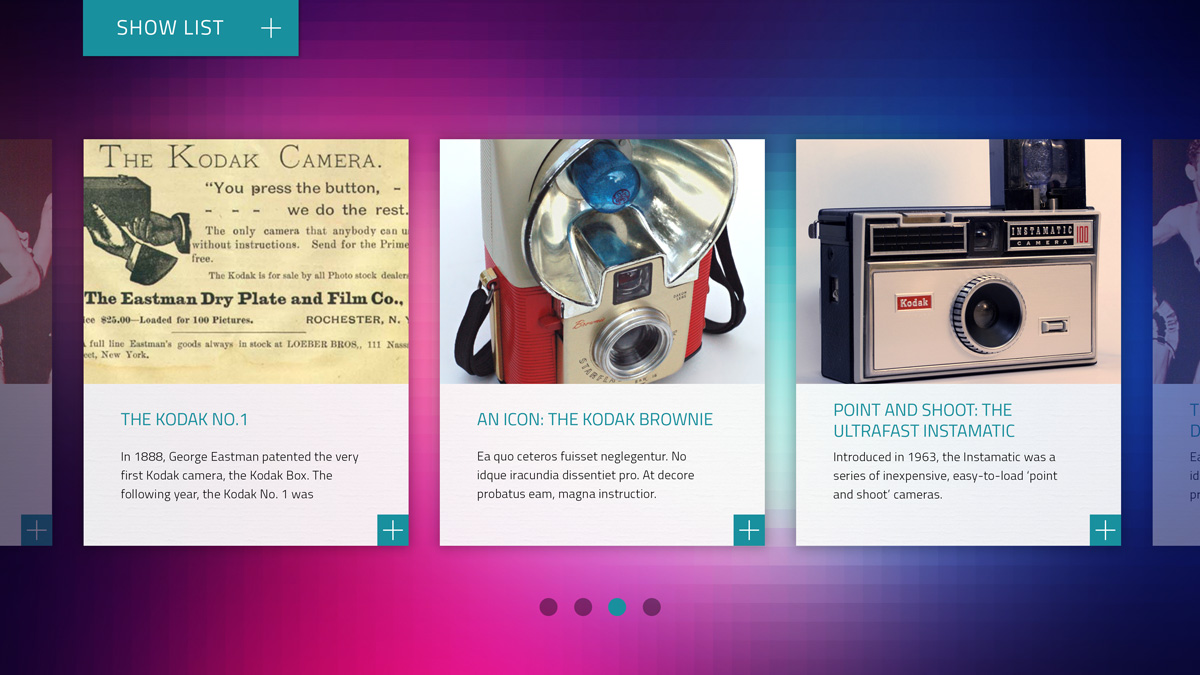
CAROUSEL is designed to make browsing curated stories feel immediate and intuitive. Visitors can swipe through story tiles, jump directly to a selected item with Quickjump, and move more gradually through related content as they explore.
Features
CAROUSEL’s feature set reflects a focused approach to public touchscreen engagement:
- Clean intuitive interface designed specifically for touchscreen kiosks
- Story-based browsing for intuitive exploration
- Support for high-resolution images paired with clear supporting text
- Browser-based content management through EDM’s CMS
- Content downloaded and cached locally so the kiosk continues to run if internet connectivity is lost
- Designed for single-kiosk deployment on an Apple Mac mini
- Includes reskinning to match the aesthetic of the project
- Includes professional advice on content development and AV hardware procurement
- Ongoing remote technical support from EDM
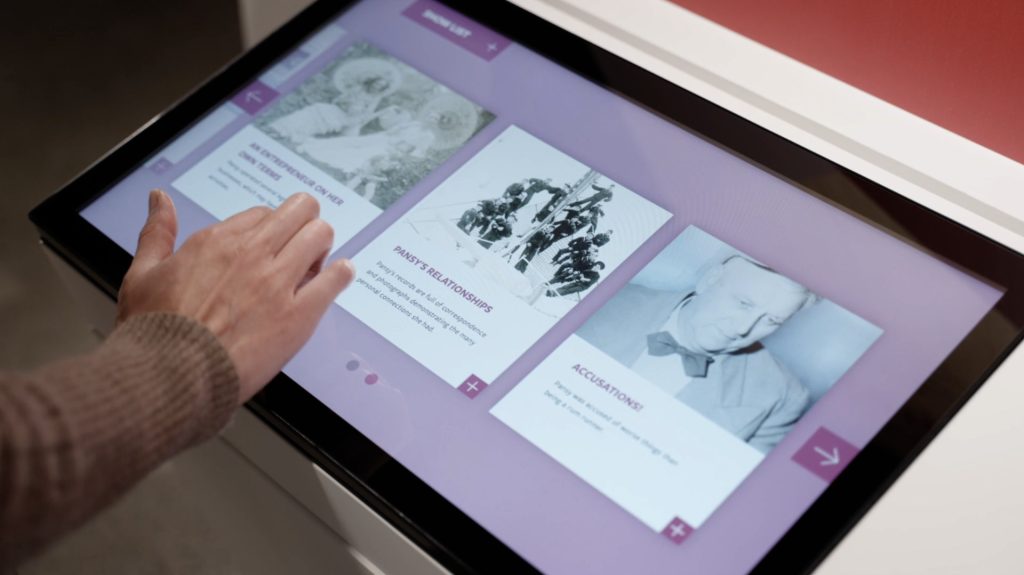
Visitor browsing CAROUSEL at the Douglas J. Husband Discovery Centre.
Interface
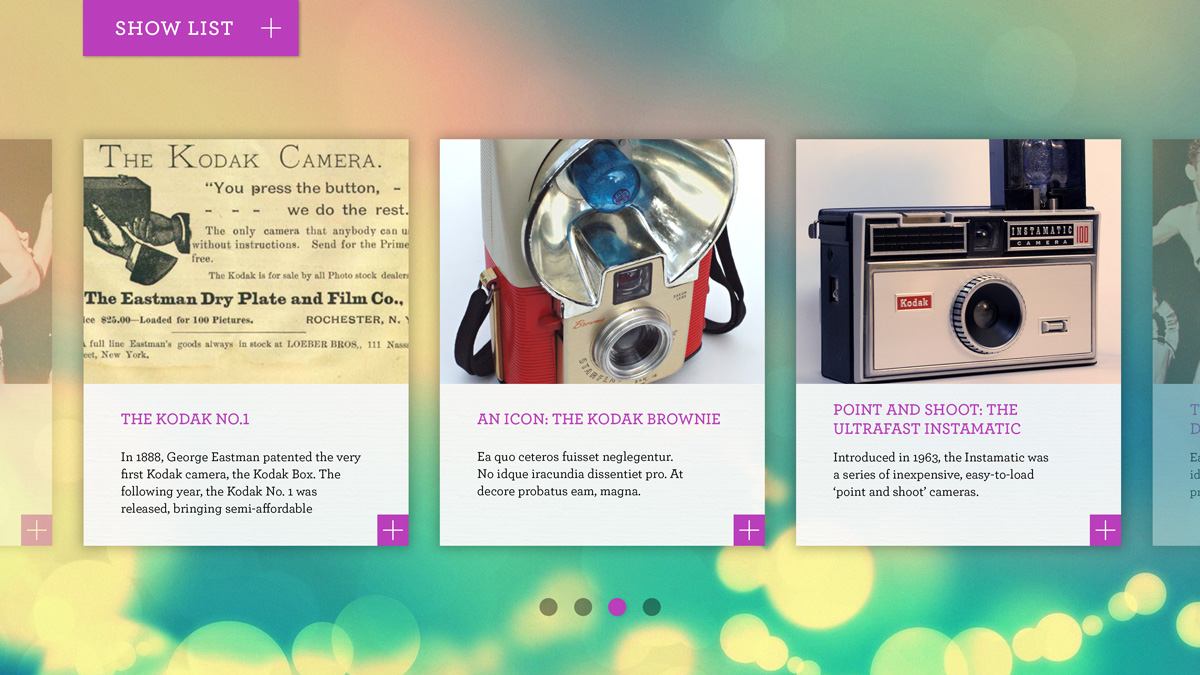
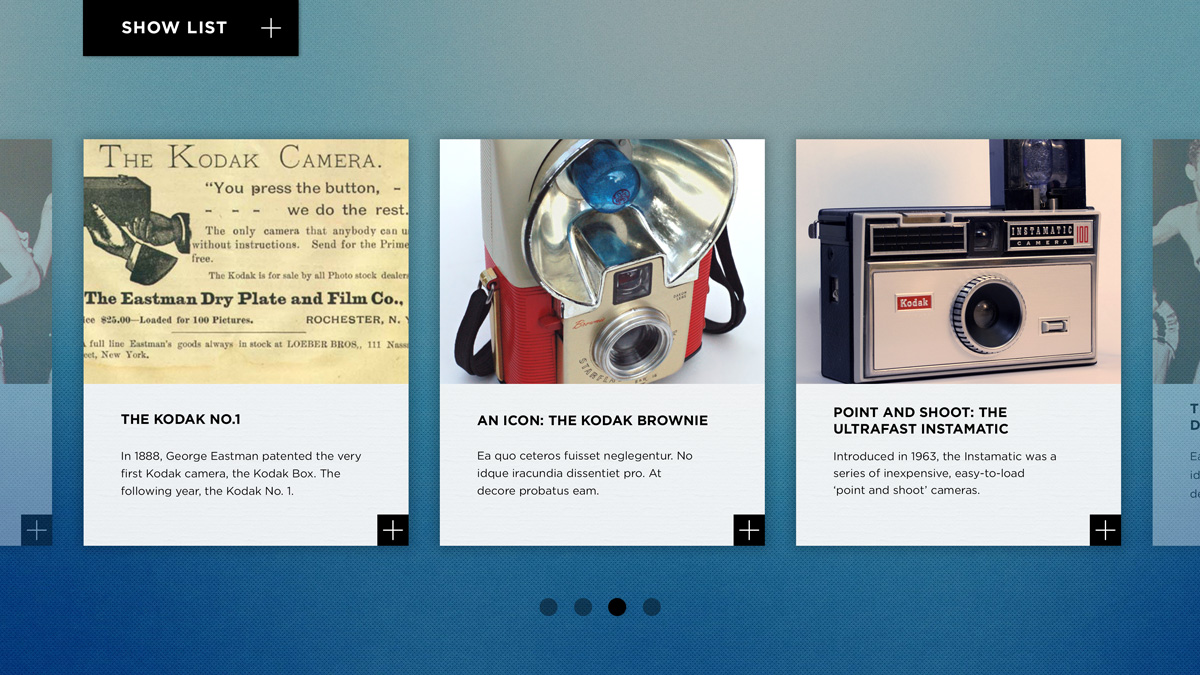
Visitors move through content by swiping left or right across a sliding carousel of story tiles. Each tile combines a curated image, a title, and a few lines of introductory text, while a plus indicator shows that the story can be opened for more detail.
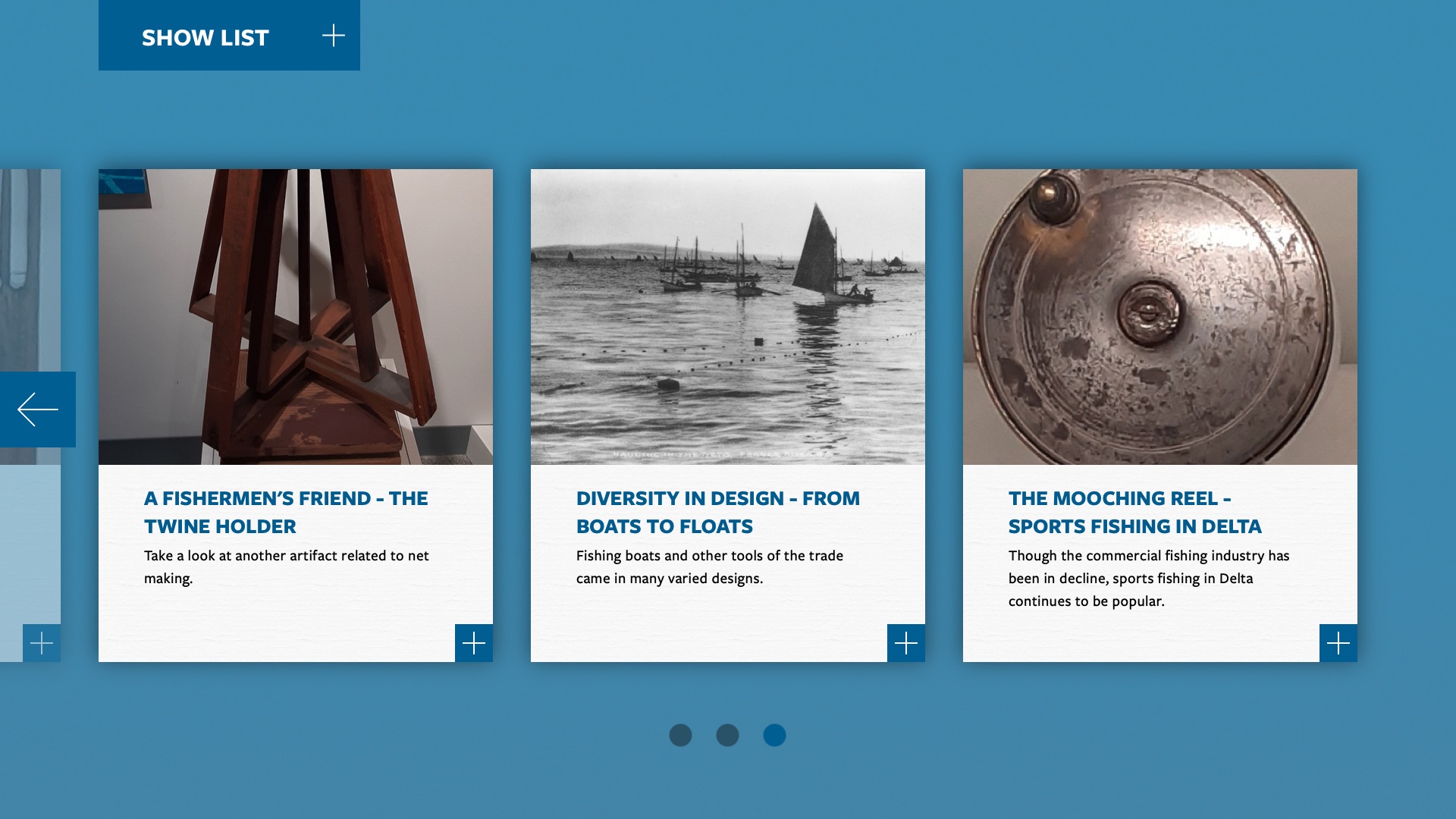
For visitors who want to jump straight to a specific item, CAROUSEL includes a Quickjump menu listing all stories on display for immediate access. This makes the experience feel both exploratory and efficient, whether visitors browse casually or arrive with a specific object in mind.
When a story is opened, it expands into a near full-screen overlay with a larger feature image, selectable image and video gallery, title, and scrollable body text. This format supports deeper storytelling while keeping the interface visually focused and easy to navigate.
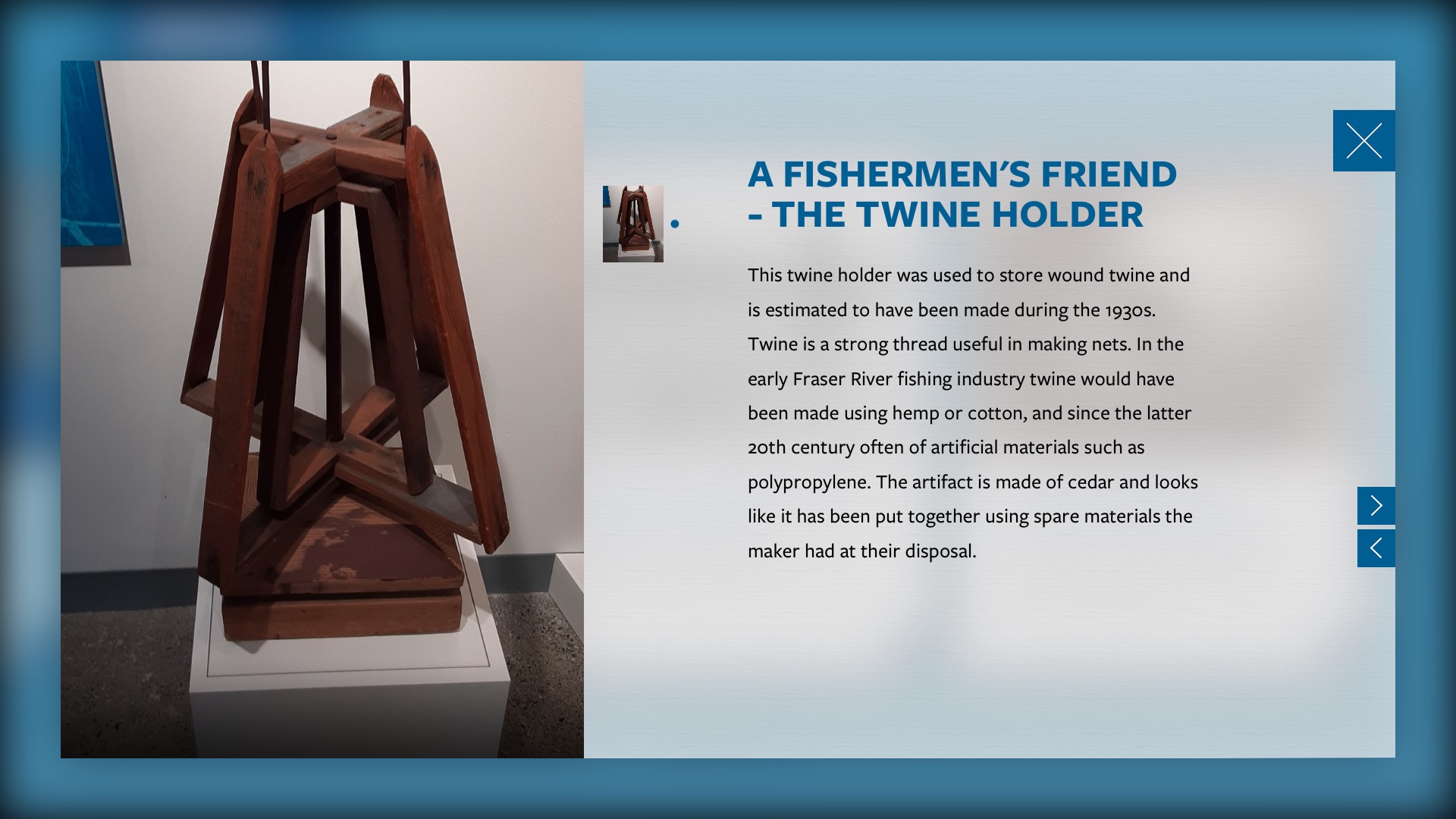
For objects in display cases, CAROUSEL can present close visual detail and supporting interpretation that helps visitors look more closely at items they cannot physically handle. A medal might include video footage from a key moment, while an artwork can be explored through supporting imagery and interpretive text.
Content Management
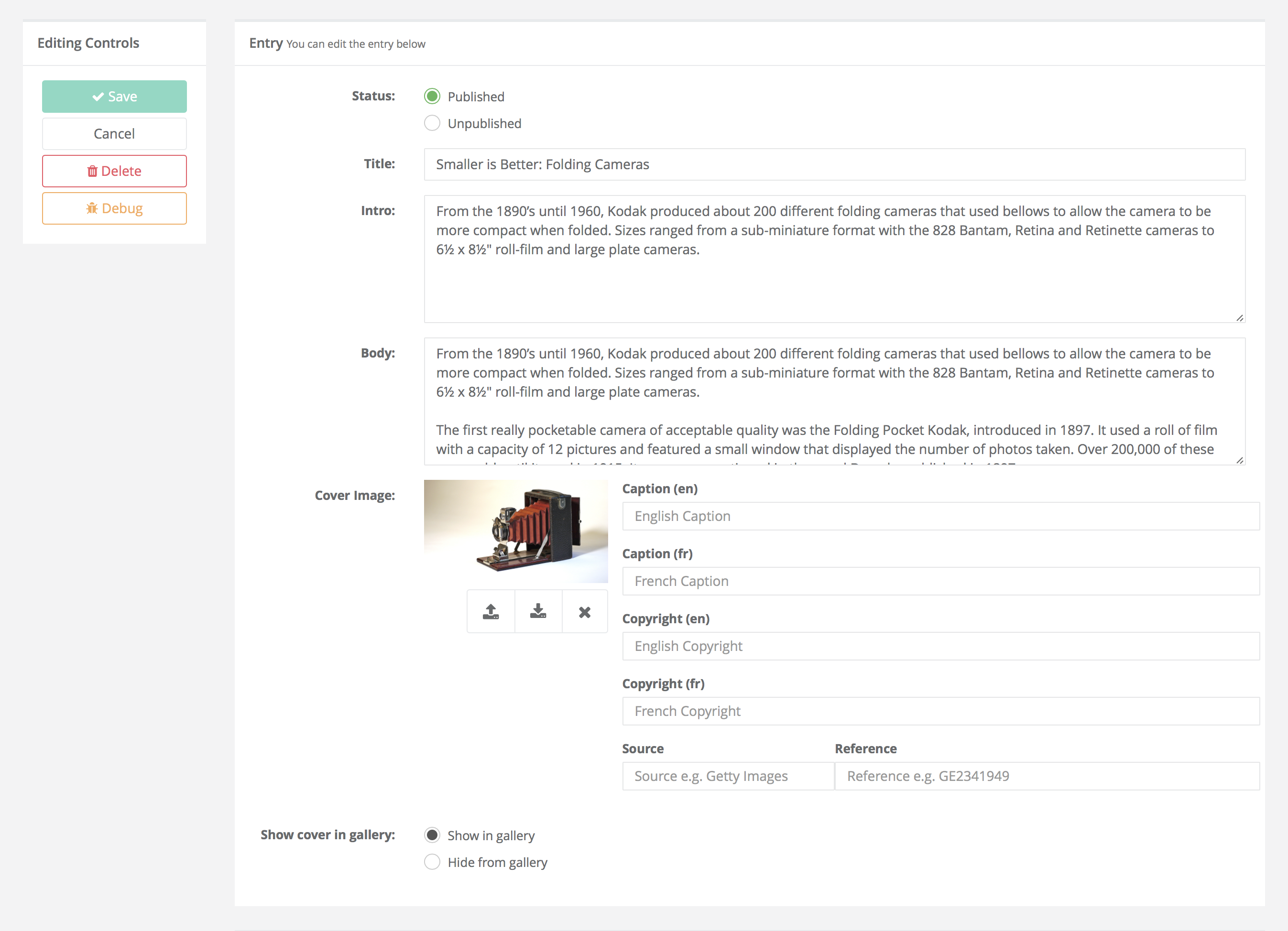
All on-screen content is managed by the museum or exhibit team through EDM’s browser-based CMS. Updates can be made quickly to suit different age groups, abilities, and interpretive goals.
Like TIMELINE, CAROUSEL caches content locally after it is downloaded, so the kiosk can continue to run if internet connectivity is interrupted. This makes it a reliable fit for on-site use in museums and other semi-public environments.
Configuration
CAROUSEL is designed as a dedicated single-kiosk interactive, optimized for use on a modern touchscreen display and the entry-level Apple Mac mini. EDM recommends a 22″ to 27″ screen at 1920×1080 for a comfortable browsing experience in museum, visitor centre, science centre, or gallery settings.
This focused configuration makes CAROUSEL well suited to spaces where visitors typically spend a short amount of time exploring selected content. It is intended to feel approachable at a glance while still supporting deeper engagement once a story is selected.
CAROUSEL made it possible for our small museum to take a big step into the arena of interactive displays. Our exhibits now include videos and audio recordings as well as more extensive displays of photographs and narratives. Visitors of all ages become engaged in self-directed exploration and appreciate how easy it is to operate CAROUSEL.
As a not-for-profit museum run by volunteers without technical expertise, we were delighted at how easy it was to learn how to create and upload content for CAROUSEL exhibits. EDM’s initial training, done remotely through a communications platform to accommodate our distance from their location, was excellent. Their continued support as we refine and expand our CAROUSEL exhibits is fantastic. A phone call, email, or text to EDM results in a very quick response and clear instructions for whatever we need.
Pricing
CAROUSEL is available for a one-time fee of US $3k. The license allows CAROUSEL to run on up to three kiosks in the same exhibit setting, with no ongoing subscription costs.
The license includes reskinning to match the project aesthetic, advice on content development, ingestion of existing content, guidance on appropriate AV hardware, and a 1-year warranty from the date of public opening. EDM also provides free remote support for all deployments.
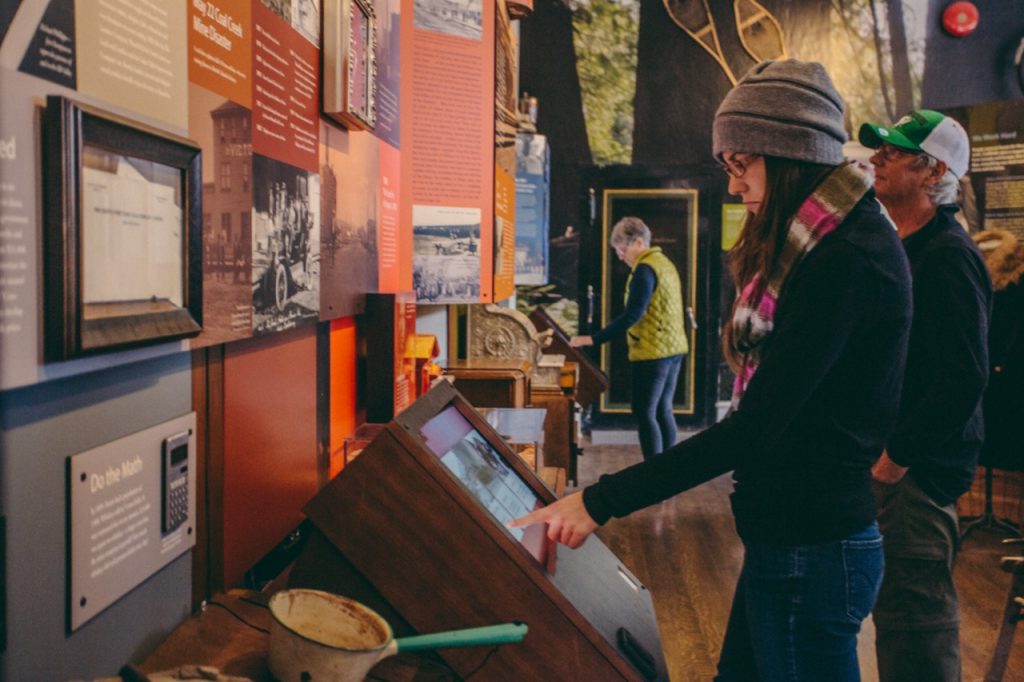
Visitor browsing CAROUSEL content at the Fernie Museum in Fernie, British Columbia
FAQ
Is CAROUSEL available on the web?
CAROUSEL is designed specifically as an in-person kiosk experience, tuned for physical touch and short-form visitor engagement.
Does CAROUSEL run on Windows?
CAROUSEL runs on macOS, like TIMELINE, and is intended to be used with a modern touchscreen display and an Apple Mac mini in a single-kiosk setup.
Why Apple Mac mini instead of a Windows PC?
EDM develops museum software for Windows, macOS, and Linux, choosing the right platform for each project. For kiosks, the Mac mini provides a stable appliance-like setup that makes remote updates and technical support straightforward. No special knowledge of macOS is required to deploy CAROUSEL.
Can we control the look and feel of CAROUSEL?
Yes, within reason. CAROUSEL comes with a number of out-of-the-box themes, and clients can also adjust presentation details such as the display font, colour palette, and background image.
Are there any ongoing costs?
No. CAROUSEL is offered as a one-time purchase rather than a subscription product, which provides cost certainty for the project.
Can I download a demo?
CAROUSEL is designed specifically for touchscreen use in a semi-public space, not for a normal desktop environment. It includes kiosk-specific behaviours such as hiding the mouse cursor, staying full screen, restarting automatically if closed, and helping prevent access to the underlying desktop. For that reason, a downloadable demo would not be a meaningful representation of the product. Please contact us via the request button at the bottom of the page. We’ll get back to you ASAP to coordinate a remote walk-through of the software.
What size screen is recommended?
EDM recommends a 22″ to 27″ touchscreen running at 1920×1080 for a comfortable visitor experience in a single-kiosk installation. EDM can advise on suitable hardware or even procure it on your behalf.
Interested in CAROUSEL? We’d love to hear about your potential use case:
Request a CAROUSEL demo