

TIMELINE is EDM’s customizable touchscreen kiosk software for presenting historical events in a self-guided format. Designed for physical touch and short visitor engagement, it turns a sequence of milestones into a fluid and engaging interpretive experience.
TIMELINE is designed to make movement through historical content feel immediate and intuitive. Visitors can jump to a distant year using the navigator strip, or move more gradually through nearby content with a smooth touch-driven scroll.
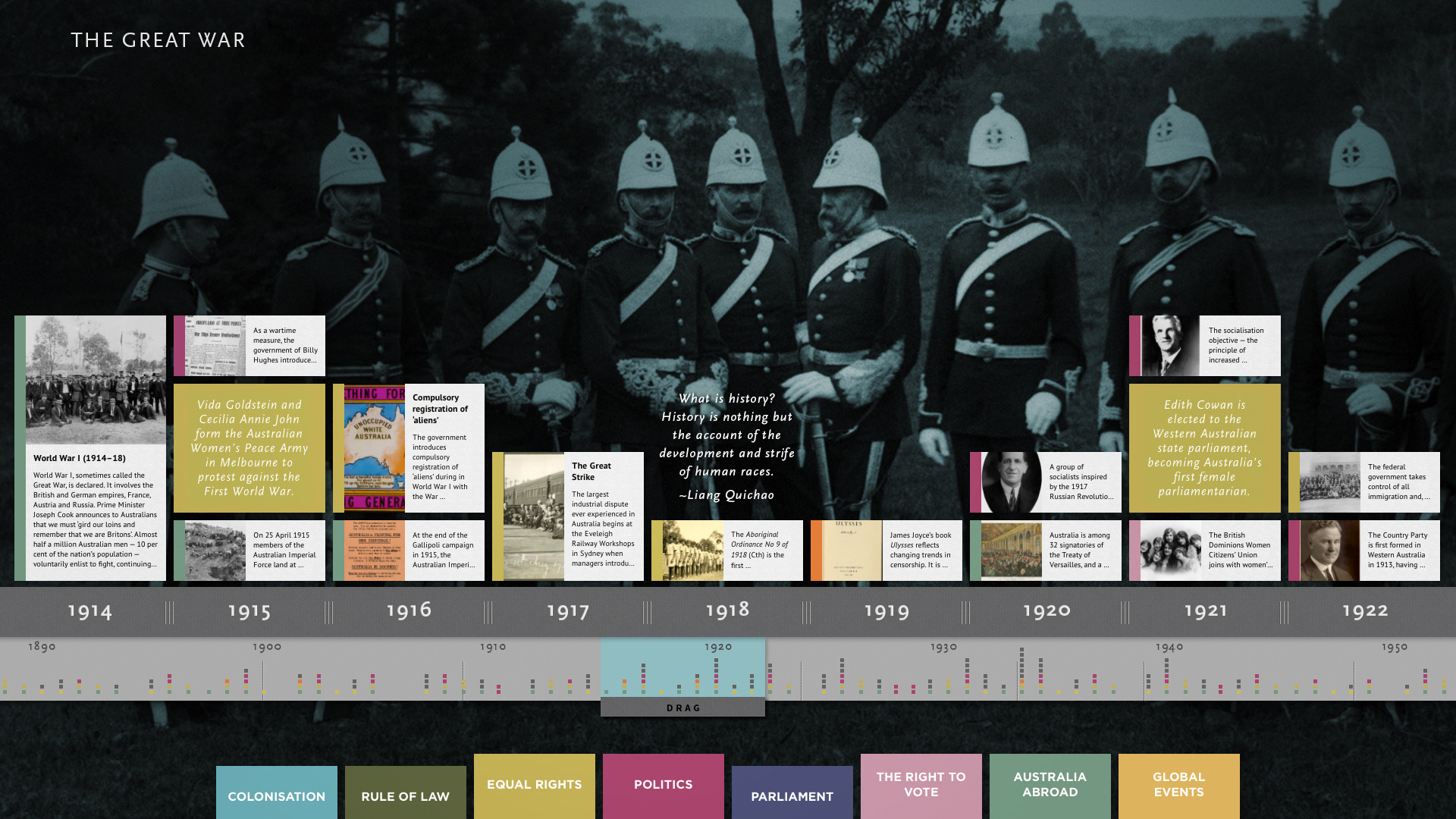
Historical events are presented as milestone tiles, each combining a clear title, concise supporting text, and an associated image. This makes it easy for visitors to scan the timeline quickly, while still encouraging closer exploration of moments that catch their attention.
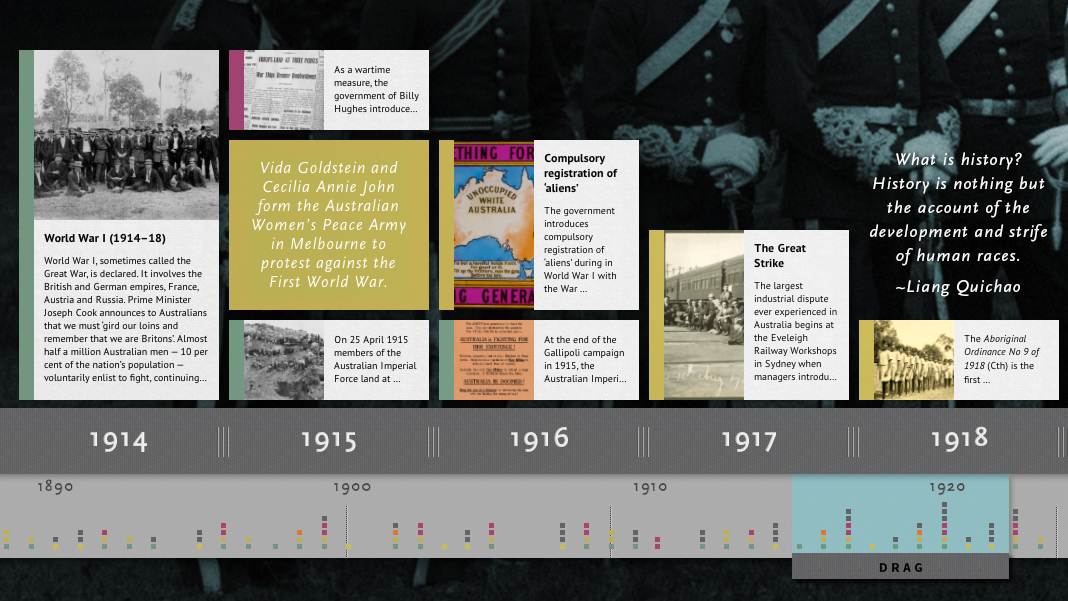
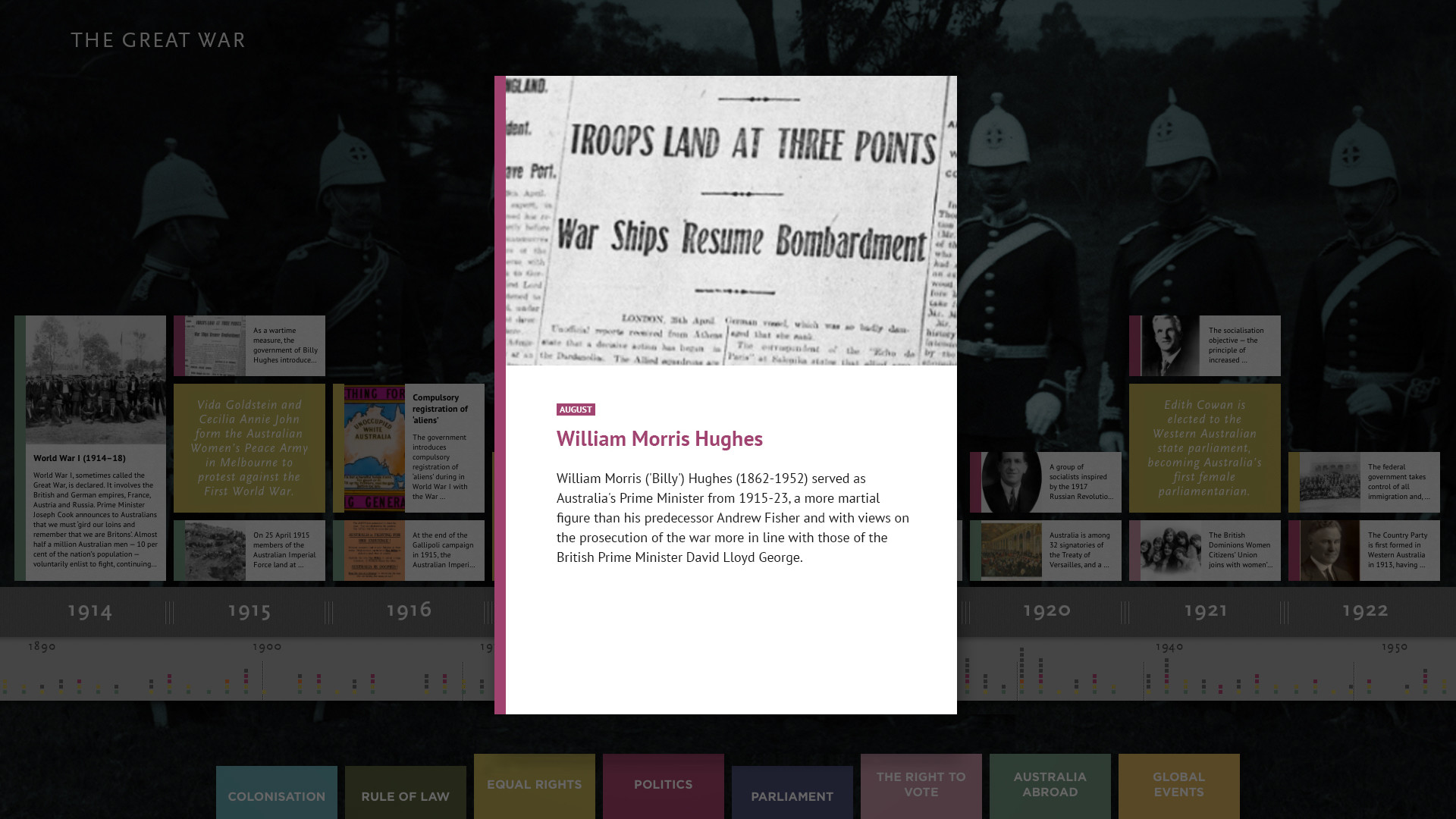
When selected, a milestone expands to a larger view so the image and supporting information can be seen more clearly. The result is an experience that remains visually focused and easy to navigate, while still allowing individual events to be explored in greater detail.
Features
TIMELINE’s feature set reflects a focused approach to public touchscreen engagement:
- Clean intuitive interface designed specifically for touchscreen kiosks
- Simple thematic or chronological browsing for intuitive exploration
- Support for high-resolution images paired with clear supporting text
- Cloud-based content management through a friendly browser-based CMS
- Content downloaded and cached locally so the kiosk continues to run if internet connectivity is lost
- Designed for single-kiosk deployment
- Reskinning to match the aesthetic of the project
- Advice on content development and AV hardware procurement
- Remote technical support from EDM
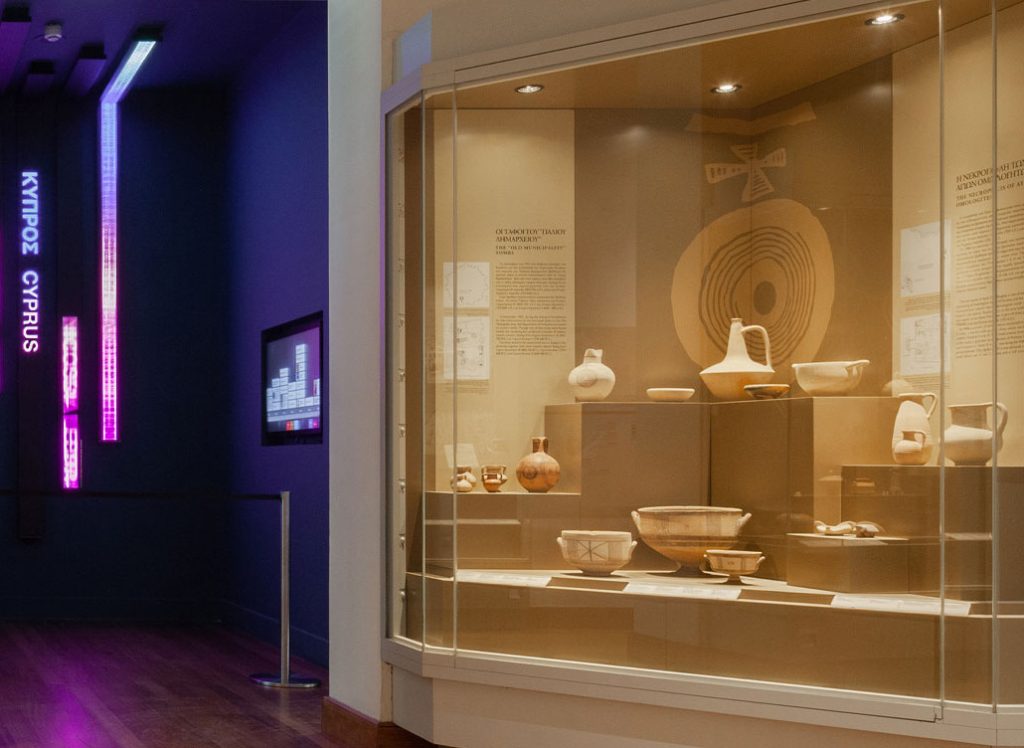
TIMELINE in an exhibit setting at the Leventis Municipal Museum of Nicosia in Cyprus.
Configuration
TIMELINE is designed as a dedicated kiosk interactive, optimized for use on a single touchscreen. Running on a Mac mini, or on an Apple NEO for temporary deployments, it works with any modern touchscreen display.
This focused configuration makes TIMELINE well suited to museums, visitor centres, temporary exhibitions, and conference environments. A medium-sized touchscreen gives one or two visitors enough space to browse comfortably while keeping the experience intimate and easy to use.
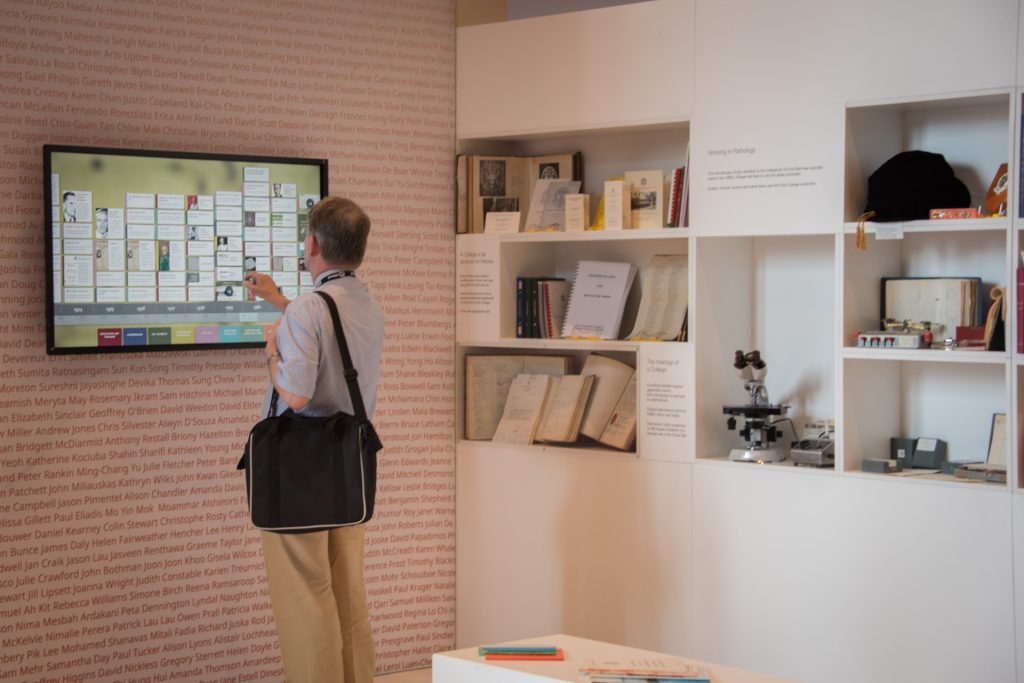
Conference visitor using TIMELINE at the Royal College of Pathologists of Australasia annual meeting. Pairing TIMELINE with physical objects makes this a particularly compelling experience.
Content Management
Authorship is placed firmly in the hands of the museum, visitor centre, or event team. Curatorial teams can quickly and easily add or change content via the cloud-based browser CMS.
Once changes are made, content is downloaded to the local machine and cached. This ensures that the kiosk continues to operate smoothly even if internet connectivity is temporarily lost.
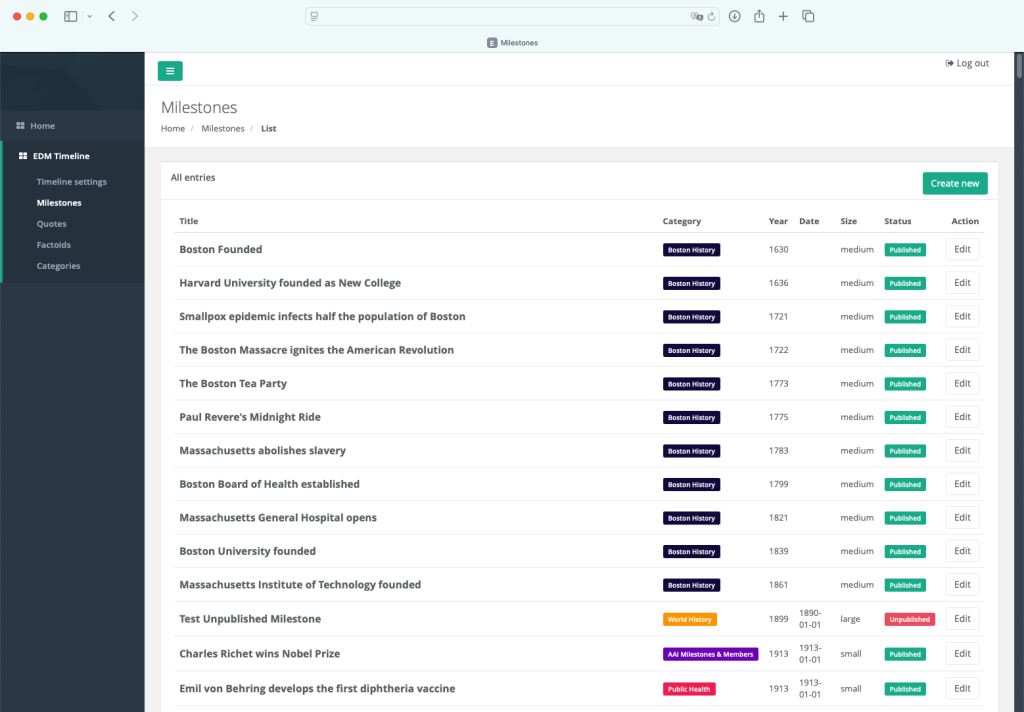
TIMELINE is populated and updated through a friendly cloud-based content management system, with content cached locally for reliable on-site use.
Pricing
TIMELINE is available for a one-time fee of US $6k. This provides a perpetual, non-revocable license for use on up to two kiosks within the same exhibit setting.
The license fee includes reskinning to match the project aesthetic, advice on content development, ingestion of existing content, guidance on appropriate AV hardware, and a 1-year warranty from the date of public opening. There are no ongoing subscription costs. EDM provides free remote support to all deployments.
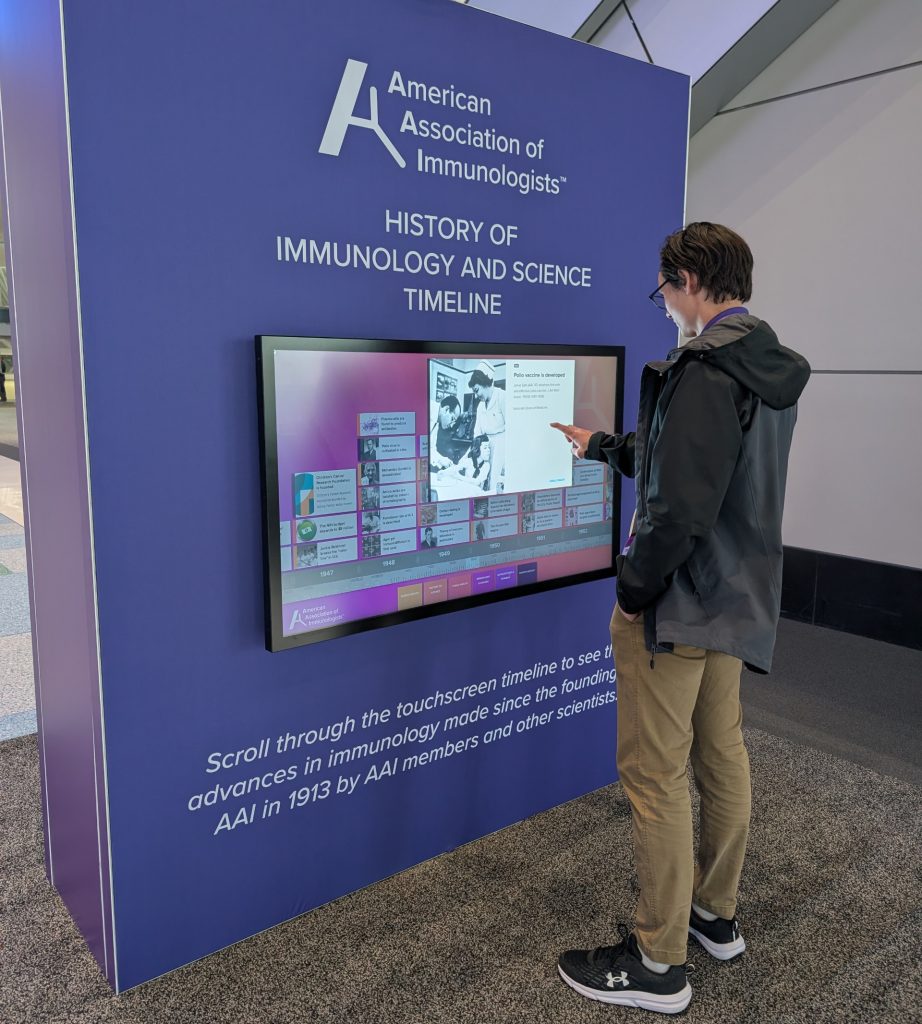
A conference delegate using TIMELINE at the 2026 American Association of Immunologists meeting in Boston.
FAQ
Is TIMELINE available on the web?
TIMELINE is designed specifically as an in-person kiosk experience, tuned for physical touch and short-form visitor engagement.
Does TIMELINE run on Windows?
TIMELINE runs on a Mac mini, or on an Apple NEO for temporary deployments, together with a modern touchscreen display.
Why Mac mini instead of Windows?
EDM develops museum software for Windows, macOS, and Linux, choosing the right platform for each project. For kiosks, the Mac mini acts like an appliance—with the key benefit that EDM can easily update the software remotely and provide seamless technical support. You do not need any familiarity with macOS to deploy TIMELINE.
Can we control the look and feel of TIMELINE?
Yes, within reason. Clients can adjust key presentation settings themselves through the CMS, including the interface font, the number and colour of category filters, the background image, milestone sizing, and other visual details.
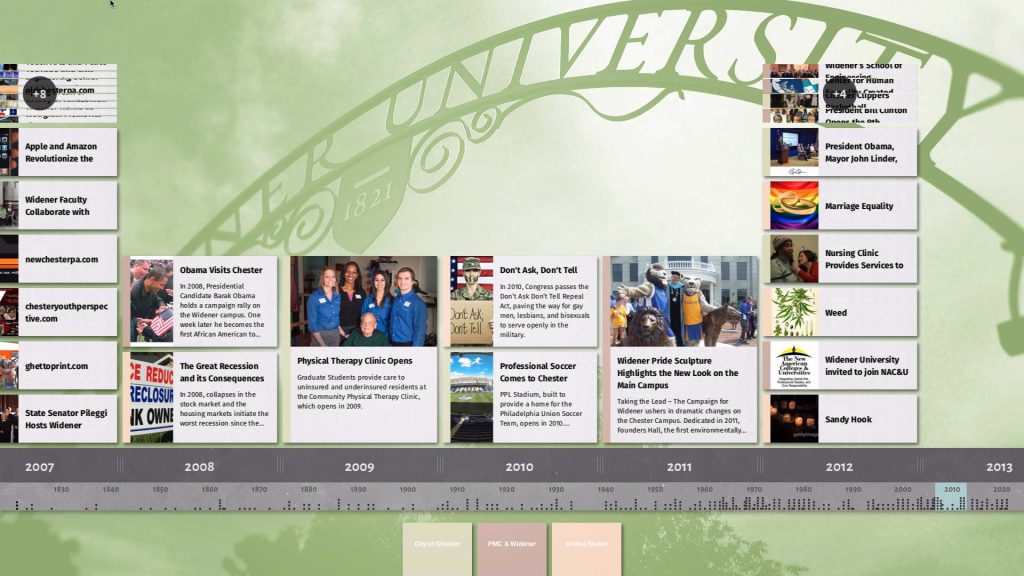
The Widener University installation of TIMELINE, showing client-defined visual settings managed through the CMS.
Are there any ongoing costs?
No. TIMELINE is offered as a one-time purchase rather than a subscription product. This provides you cost certainty.
Does TIMELINE support multiple languages?
Yes. TIMELINE currently supports displaying content in one primary and one secondary language. Visitors can swap languages using the interface button.
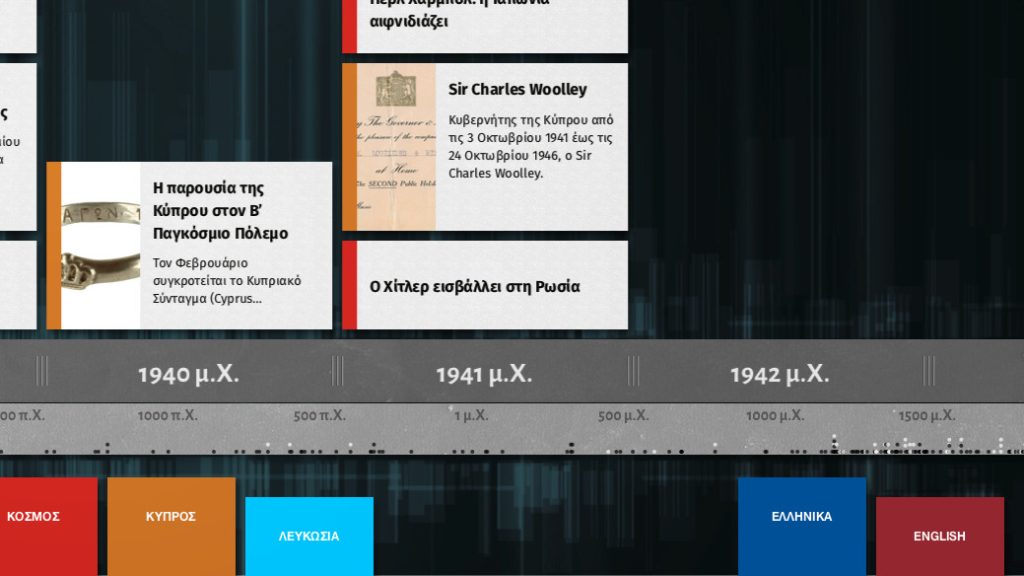
TIMELINE shown in Greek, with visitors able to switch languages using the interface button. This screenshot is from the Leventis Municipal Museum of Nicosia in Cyprus.
Can I download a demo?
TIMELINE is designed specifically for touchscreen use in a semi-public space, not for a normal desktop environment. It includes kiosk-specific behaviours such as hiding the mouse cursor, staying full screen, restarting automatically if closed, and helping prevent access to the underlying desktop. For that reason, a downloadable demo would not be a meaningful representation of the product. Please contact us via the request button at the bottom of the page. We’ll get back to you ASAP to coordinate a remote walk-through of the software.
What size screen is recommended?
EDM recommends a medium-sized touchscreen that allows one or two visitors to browse comfortably. A 42″ screen works nicely. EDM can advise on suitable hardware or even procure it on your behalf.
Interested in TIMELINE? We’d love to hear about your potential use case:
Request a TIMELINE demo